Product card
Mobile application of a brokerage platform.
The asset card is a key decision-making
point where the user:
evaluates the instrument's state
analyzes the dynamics
makes a decision to buy or sell
Any overload or delay in this scenario directly affects-conversion: if the interface
requires effort to understand, the user postpones or cancels the action
Role
Was responsible for redesigning the scenario of
interaction with the asset card: from analyzing
user behavior to the final
interface solution
Business task
Speed up the path from opening the card
to the action (buy/sell), without losing the depth
of analytics and functionality
Product problem
The interface tried to simultaneously show
the entire volume of data: price, dynamics, charts,
indicators, and metrics
As a result:
users spent time searching for
key data
beginners did not understand what to look at
first
experienced users could not quickly
move to action
→ the problem was not in the amount of information, but in the lack of structure
for its perception. The interface did not answer the main question: what is important right now?

Data (baseline)
high bounce rate before
proceeding to the operation
increased time from card opening
to action
low engagement in analytics
with an overloaded screen
Insight
Interaction with the card is always divided
into two stages:
quick understanding of the current state
in-depth analysis
In the current interface, these stages were mixed, because of which the user
was forced to process the entire volume of
information at once
If you split information by levels (overview →
details) and build a hierarchy for the decision-making
scenario, the user will be able to:
understand the asset status faster
delve into analytics if necessary
move to action faster
Hypothesis
Key data must not be removed
the interface must work for different levels
of users
it is necessary to preserve access to all analytics
→ the solution had to optimize
the structure, not reduce functionality
Limitations


Key indicators are displayed on the
first screen:
current price
change (growth / decline)
brief dynamics
→ the user gets a basic
understanding in the first seconds
Additional data (graphs, metrics,
history) have been moved to the second layer:
available upon request
remain nearby but do not overload
the main screen
→ depth is preserved without increasing
cognitive load
Information separation by levels
Progressive disclosure of analytics
Solutions
shortened path to buy/sell
reinforced visibility of actions
removed redundant intermediate steps
→ eliminated the gap between analysis
and action
List structure
Simplifying the transition to action
key data is dominant
secondary data is deprioritized
spacing and rhythm have been redesigned
→ the interface has begun to guide the user's attention
The focus was on dividing the scenario
into two logical layers:
quick overview
in-depth analysis
Work was conducted through behavior analysis:
how the user scans the screen
what data they read first
where overload occurs
where they get "stuck" before taking action
Approach
the data volume was not reduced — the completeness
of the analytics was important
the current structure was not retained —
it did not support the scenario
a superficial visual redesign was not done
→ a solution was chosen through structural
information separation
Trade-offs
Key indicators are displayed on the
first screen:
current price
change (growth / decline)
brief dynamics
→ the user gets a basic
understanding in the first seconds
Information separation by levels
Progressive disclosure of analytics
Solutions
List structure
key data is dominant
secondary data is deprioritized
spacing and rhythm have been redesigned
→ the interface has begun to guide the user's attention
Additional data (graphs, metrics,
history) have been moved to the second layer:
available upon request
remain nearby but do not overload
the main screen
→ depth is preserved without increasing
cognitive load
Simplifying the transition to action
shortened path to buy/sell
reinforced visibility of actions
removed redundant intermediate steps
→ eliminated the gap between analysis
and action


Errors
At an early stage, the problem was viewed
as visual overload, leading to attempts at simplification by removing elements.
This worsened the experience for advanced users and did not solve the main task
Rethinking showed that the key problem was the lack of perception structure,
rather than the volume of information
structure is more important than the volume of information
the interface should provide the answer first,
and then the details
separating levels of perception speeds up
decision-making
access to analytics should not interfere with
the basic scenario
reducing cognitive load directly
affects conversion
Key principles
Results
Secondary elements removed
information density in the row has been reduced
visual rhythm of the list has been aligned
→ key data can now be read faster and more consistently
Reducing visual noise
The role of filters was redesigned:
integrated into the main search scenario
simplified application logic
added visual feedback on active states
reduced cognitive cost of use
→ filters became part of the basic scenario, rather than a separate tool
Filters
Indentations and visual rhythm have been redesigned
elements are grouped into logical blocks
visual noise density is reduced
scannability of the list is improved
→ information is perceived in a structured way rather than as a stream of text
List structure
Each transaction has been redesigned as a self-contained element:
added statuses (completed / processing / declined)
added short explanations of the operation type
improved formatting for faster scanning
→ the user gets sufficient context without the need to open details
Context of operations
The transaction row has been redesigned to form a clear structure of perception:
the amount is highlighted as the main visual anchor
the transaction type is grouped with the amount into a single semantic block
the transaction status is available without going into details
→ the interface now supports scanning instead of requiring reading every line
Visual and semantic hierarchy
Solution design
−17% bounces during transition to operation
−20% time from opening the card
to performing the action
+11% engagement with analytics
−14% errors when choosing an operation
The use case has become more linear:
asset card → quick understanding →
analytics if necessary → action
Dividing information into levels simplified perception without losing depth, speeded up decision-making, and increased conversion to action
Product card
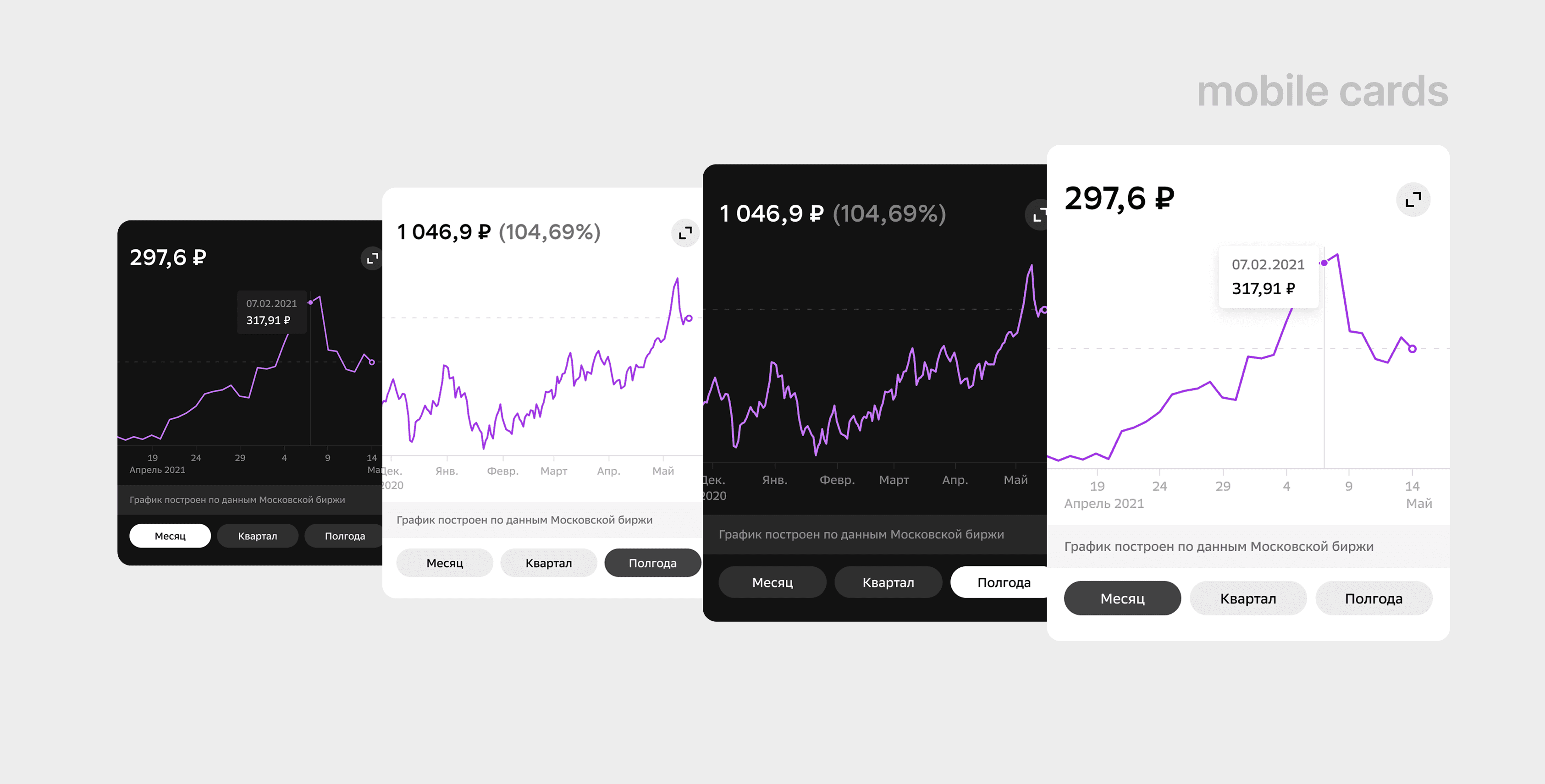
iOS asset details screen displaying key metrics, yield chart, analytics, and trading actions, helping users quickly understand
and manage their investment position
Results
— 17% reduction in bounce rate when transitioning
to actions
— 20% reduction in time from opening an asset card
to executing an operation
— 11% increase in views of analytical
blocks
— Reduction in the number of errors
when selecting an operation
Task
The complex structure of the asset card made it difficult for users to quickly perform operations
Solution
Information levels have been separated: basic metrics for novice users and advanced analytics for experienced investors
Process
— Analysis of user behavior
— Redesign of the interface structure
— Interface design
— Optimization of buy and sell scenarios
Product card
The product card is one of the key screens in an investment application.
Users interact with this scenario to:
track asset value
analyze dynamics
view statistics
make investment decisions
buy or sell an asset
Despite the high importance of the scenario, the current interface overloaded the user with a large amount of data and complicated the rapid perception of information.
The goal of the project is to simplify the perception of investment data
and make the decision-making scenario faster and more understandable.
Role
Was responsible for the full cycle of redesigning the transaction history scenario: analyzing user behavior, formulating hypotheses, designing the solution, and interface design.
UX audit of the current solution
analysis of user scenarios
discovery and research
formulation of UX hypotheses
redesign mobile experience
visual hierarchy design
creation of a UI concept
development of the component system
Area of responsibility:

Product problem
The product card was a data-heavy interface
with high information density
difficulty in perceiving a large volume of data
lack of a clear visual hierarchy
overloaded interface
difficulty in quickly reading key metrics
weak focus on the primary user action
insufficient readability of charts and statistics
Users have encountered several problems:
As a result, users required more time
to analyze the asset and make decisions
Project goals
1. Business Goals
2. Product goals
3. UX Goals
increase user engagement
increase the frequency of interaction with the product
increase trust in the platform
improve the perception of the investment experience
simplify data perception
speed up access to key information
increase interface scanability
improve mobile experience
reduce cognitive overload
improve visual hierarchy
reduce interface overload
increase readability of charts
focus user attention on key actions
_________________________________________________________________________________________________________________________
_________________________________________________________________________________________________________________________

Research
/ UX Audit:
Allowed to identify problems in navigation, visual hierarchy, and interface structure
/ User scenario analysis:
Helped define the main actions within the transaction history section
/ Competitive research:
Solutions of banking and fintech products were studied to compare approaches
to filtering, searching, and displaying transactions
/ Interviews and feedback:
Recurring user issues
and behavior patterns were analyzed
What was important to understand
Before starting the design, it was important to determine:
which data is most important to users
how users analyze assets
which interface blocks are ignored
where cognitive overload occurs
how users interact with charts and statistics
Methods Used
1. UX audit
2. Competitive research
3. User scenario analysis
User behavior analysis
Allowed me to identify issues with visual hierarchy and interface clutter
Fintech and crypto products were studied for analysis:
data visualization patterns
investment dashboards
mobile chart interactions
methods of information prioritization
Helped identify key actions within the product card
Allowed identifying recurring friction points and overloads
___________________________________________________________________________________________________________
___________________________________________________________________________________________________________
___________________________________________________________________________________________________________

Key observations
1. Users did not read the interface sequentially
2. Overloaded charts impaired perception
3. The main user action was lost
Most users quickly scanned the screen looking for:
Due to the lack of a clear visual hierarchy, important data was lost among secondary information
prices
dynamics
asset changes
action buttons
A large number of elements and visual noise
made it difficult to analyze the asset's dynamics
CTAs and key actions competed with a large amount of data and lacked sufficient visual priority
___________________________________________________________________________________________________________
___________________________________________________________________________________________________________
JTBD
When
I want to quickly understand its current state and dynamics
I want to see key metrics instantly
I want to analytically evaluate charts and statistics comfortably
When I open the product card
When I use the application from a mobile device
To make a decision without information overload
So as not to waste time searching for the necessary data
To quickly interact with the product on the go
I am analyzing the asset
___________________________________________________________________________________________________________
___________________________________________________________________________________________________________

Hypotheses
Hypothesis 1
Hypothesis 2
Hypothesis 3
Why we calculated it this way:
If you strengthen the visual hierarchy, users will be able to scan
key information faster
Why we calculated it this way:
the interface was visually monotonous;
important data was not prioritized;
users spent too much time on scanability.
a large number of blocks created an overload
charts competed with other elements
secondary information distracted attention
CTAs lacked sufficient visual weight
actions were lost within the data-heavy interface
the current mobile flow contained redundant steps
If you reduce visual noise, the interface will become easier to perceive
Why we calculated it this way:
If you increase the focus on key actions, users will
interact with the product faster
___________________________________________________________________________________________________________
___________________________________________________________________________________________________________
Trades off
During the design process, it was important to maintain a balance between:
interface informativeness
visual simplicity
speed of data perception
Initially, the option of displaying all filters
simultaneously was considered. However, this approach overloaded the interface and complicated
quick user scenarios
Initially, the option of displaying the maximum amount of analytics on a single screen was considered.
However, this approach increased cognitive overload and worsened scanability.
As a result, some of the secondary information was simplified or hidden within additional scenarios. This made the interface easier to perceive without losing key functionality.

UX solutions
1. Simplifying the filtration
3. Simplifying schedules
4. Focus on key actions
4. Mobile UX Optimization of UX
2. Improving the visual hierarchy
reduce interface clutter
speed up core scenarios
maintain flexibility for advanced users
better readability
reduced visual noise
faster dynamics analysis
higher visual priority
improved placement
more readable structure
content structure was improved
interaction scenario was simplified
data readability was improved
interface scanability was enhanced
information priorities
typography scale
spacing
element contrast
accents within the interface
price
change in value
dynamics
key actions
Filters were divided into quick and advanced. This allowed:
The charts have been redesigned for:
CTA received:
In the mobile version:
This made it possible to speed up user interaction with the product
The following have been redesigned:
Now users can distinguish faster:
___________________________________________________________________________________________________________
___________________________________________________________________________________________________________
___________________________________________________________________________________________________________
___________________________________________________________________________________________________________
UI concept
Light and dark versions
Both light and dark themes have been designed for the interface.
The main task was to preserve:
data readability
visual contrast
consistency of experience
comfortable perception of charts


Iterations
First concept
What the review showed
In the final decision
Initially, the interface contained more analytical blocks and additional data. This made the screen more informative but visually overloaded.
During the analysis, it became clear that users lose focus and spend too much time searching for key information
visual hierarchy has been enhanced
secondary blocks have been simplified
charts have become cleaner
CTAs received greater emphasis
the interface has become easier for scanability
___________________________________________________________________________________________________________
___________________________________________________________________________________________________________
Efficiency assessment
After the redesign, the main focus was on:
The key performance indicators were:
After the redesign, the scenario became:
execution speed of key scenarios
ease of finding operations
reduction in number of errors
reduction of support load
reduction in inquiries regarding transaction searches
decrease in disputed claims
increase in user engagement
reduction in action completion time
faster
visually simpler
more predictable
more convenient for mobile usage
scalable for future changes
___________________________________________________________________________________________________________
___________________________________________________________________________________________________________
Results
+15% engagement
+20% interaction
−30% analysis time
−20% cognitive load
mobile UX improvement
Review
data-heavy interfaces
fintech and crypto UX
visual hierarchy
mobile-first design
systemic approach to complex product scenarios
The main result for me was the creation of an interface that
helps users analyze data faster and make
decisions without information overload
This project helped me work more deeply with: